Applications / Production
Visual inspection and image records.
Store a camera picture with every measurement, so a unit's record shows what it looked like on the bench. Then let an AI model check the picture: is the LED lit, is the connector seated, is the label on.
| Cameras | USB webcams, ONVIF IP cameras (pan, tilt, zoom) |
|---|---|
| Per unit | A JPEG snapshot next to the measurements |
| Per run | Video recording to MP4 |
| AI check | ai(prompt, image), up to 8 images per call |
| In development | Vision engine for fast detection |
| Plan | MAKER+ |
A camera over the fixture, the same script as the meters.
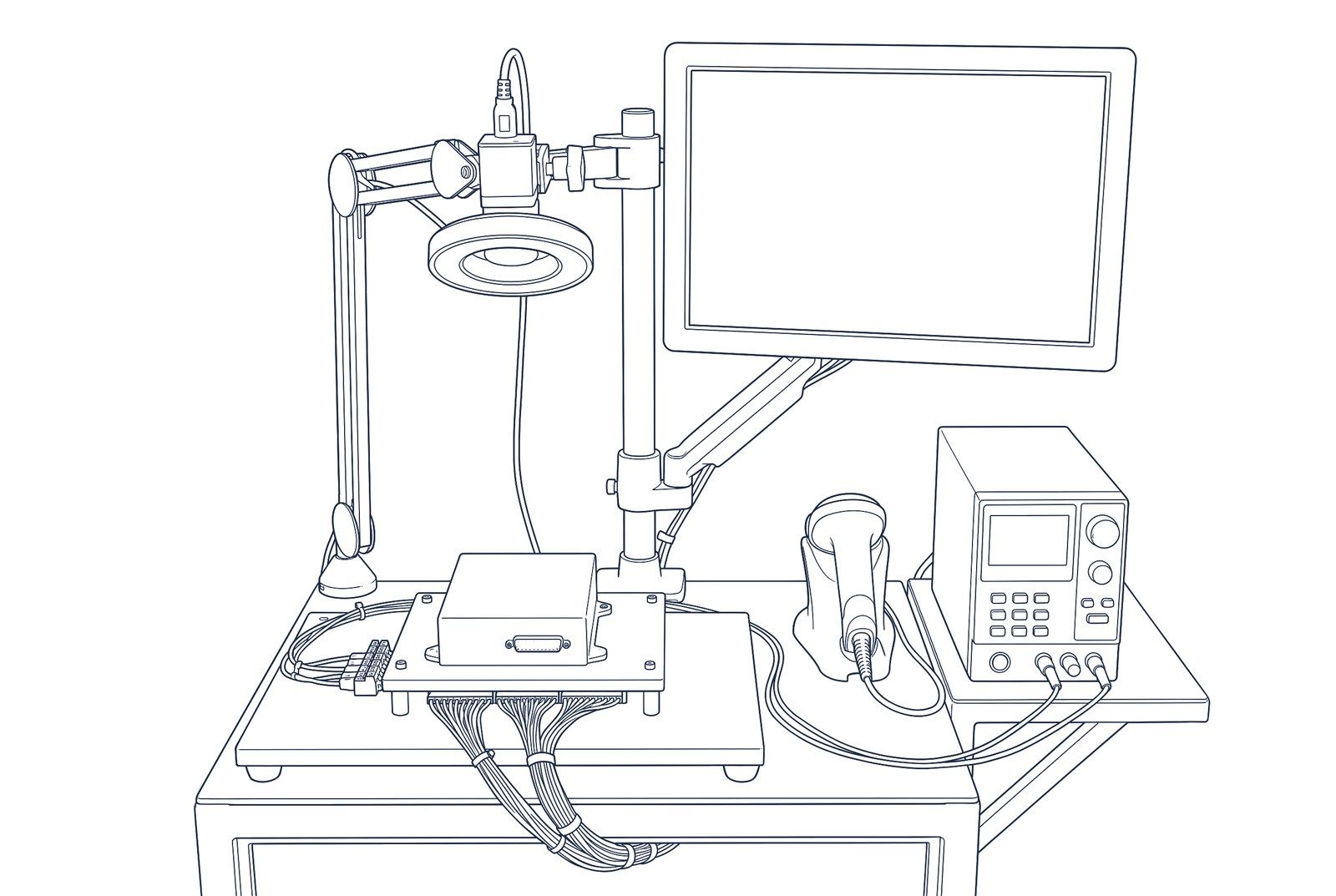
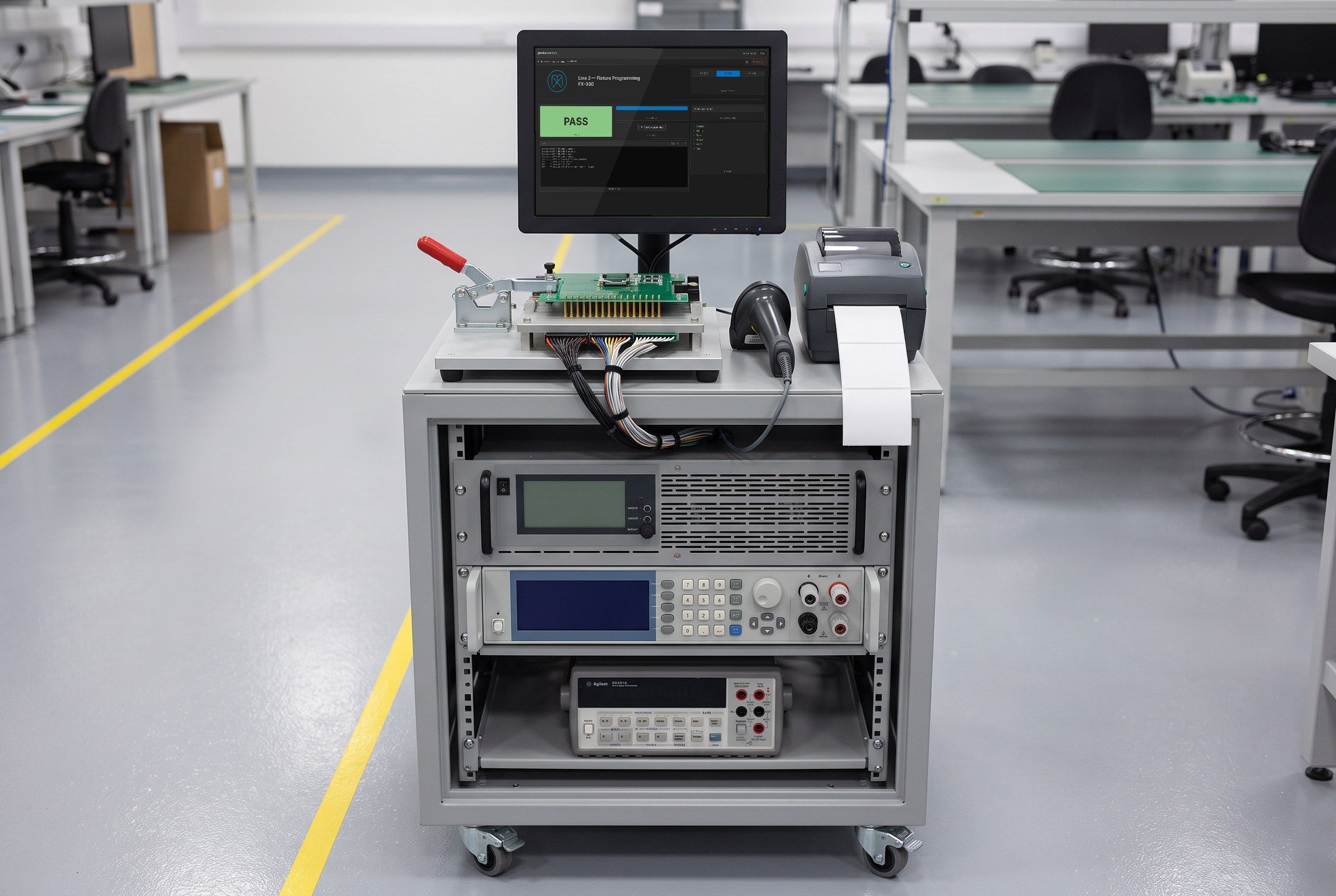
- 1Camera with ring light above the fixture: a snapshot per unit, live video on the dashboard.Webcam
- 2Monitor with the dashboard: the live picture next to the readings.dashboard
- 3Unit under test in the fixture. Its serial number names the picture and the CSV row.—
- 4Barcode scanner. In serial mode every scan is an event for the script.LineText
- 5Programmable supply powers the unit for the check.Scpi
- 6Fixture plate with the harness to the unit.—
One folder per run: numbers and pictures together.
A script takes a snapshot when the unit is in the fixture and saves it with the serial number in the file name. The same script appends the measurements to a CSV file, so every row has a picture that belongs to it.
For a longer process, record video: cam.record(30) writes 30 seconds to data/recordings/, or start and stop it around the test.
Dashboards show the live picture next to the readings, so an operator sees the unit while it's tested.
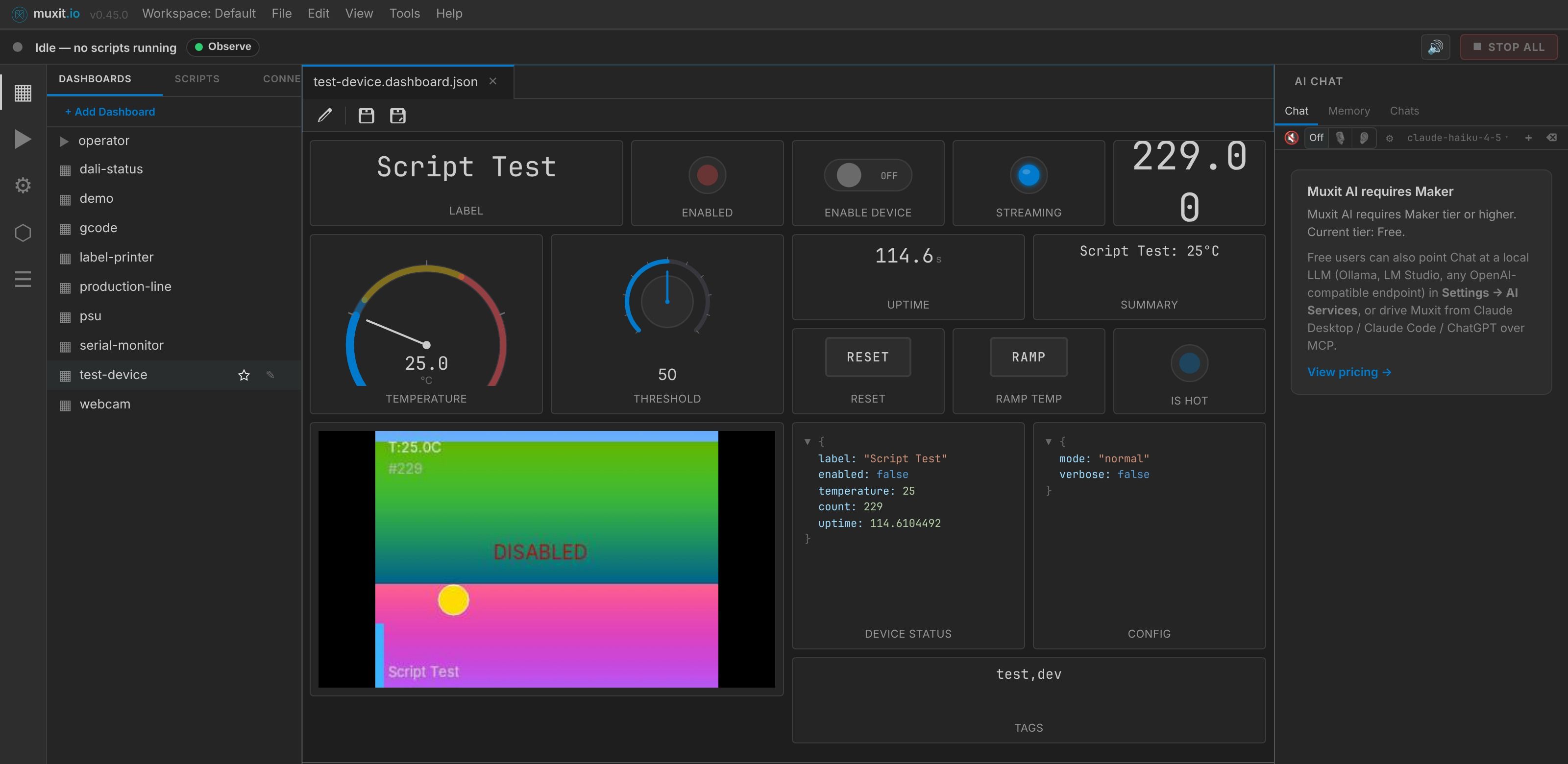
Ask the model what the picture shows.
// inspect.js: a picture and an AI check for every unit
const cam = connector("webcam");
const dmm = connector("dmm");
const files = connector("fileaccess");
const csv = files.openText("runs/inspection.csv");

const serial = waitFor("connector:scanner.scan");
const vout = dmm.voltage;

const img = cam.snapshot();                    // base64 JPEG
files.openBinary(`images/${serial}.jpg`).write(img);

const answer = ai(
  "Is the green status LED lit and is the connector fully seated? " +
  "Answer PASS or FAIL, then one sentence.", img);

csv.append([timestamp(), serial, vout, answer]);# inspect_unit.py: a picture and an AI check for every unit
import csv, os
from datetime import datetime, timezone
import muxit
m = muxit.connect()
cam = m.connector("webcam")
dmm = m.connector("dmm")
serial = m.events.wait("connector:scanner.scan")
vout = dmm.voltage
img = muxit.Frame(cam.snapshot()) # base64 JPEG
os.makedirs("images", exist_ok=True)
img.save(f"images/{serial}.jpg")
answer = m.ai(
"Is the green status LED lit and is the connector fully seated? "
"Answer PASS or FAIL, then one sentence.", img)
now = datetime.now(timezone.utc).isoformat()
with open("inspection.csv", "a", newline="") as f:
csv.writer(f).writerow([now, serial, vout, answer])What happens
- The scan gives the serial number; the DMM gives the measurement.
- cam.snapshot() returns a JPEG as base64, and openBinary writes it to data/images/.
- ai(prompt, img) sends the picture to the model and returns its answer as text.
- One CSV row holds the time, serial, measurement and the model's answer.
To compare against a known-good unit, pass several images: ai(prompt, [ref, img]), up to eight per call. The answer is text, so ask for a fixed word such as PASS or FAIL and check for it.
What a camera can do in Muxit.
| Feature | Webcam | ONVIF |
|---|---|---|
| Live picture on a dashboard | ✓ | ✓ |
| Snapshot from a script (base64 JPEG) | ✓ | ✓ |
| Digital zoom | — | ✓ |
| Pan, tilt, zoom and presets | — | ✓ |
| Video recording to MP4 | ✓ | ✓ |
| AI image check from a script | ✓ | ✓ |
| Vision engine: detection, teach-by-example | in development | |
An alert can carry the picture: a webhook to ntfy shows the snapshot inline on your phone.
Instruments and plan.
| Part | How Muxit reaches it |
|---|---|
| USB webcam or ONVIF IP camera | Webcam / Onvif (built in) |
| Instruments for the measurement | Scpi · LAN / USB-TMC / serial |
| Barcode scanner for the serial | LineText (serial mode) or Input widget |
| A vision-capable AI model | Muxit AI, or your own provider in Settings › AI Services |
Snapshots and live video work on every plan. Video recording and AI image checks (ai with an image) need Maker; a whole production station with operator mode needs Pro. Pricing →
Every instrument here needs a remote interface (LAN, USB-TMC or serial). Handheld meters and supplies with only knobs can't take part in an automated test.
What it doesn't do (yet).
- The AI check is a second opinion, not a calibrated vision system. Keep a measured pass/fail as the deciding test and use the picture as evidence.
- Muxit doesn't draw the measurement into the picture; it goes in the file name and the CSV row.
- Video recording is not available on macOS, and not for ONVIF cameras on a Raspberry Pi.
- The Vision engine (colour and contour detection at camera speed, teach-by-example) is in development and not yet available.
Start with a webcam.
Any USB webcam works. Add it as a connector, open the webcam dashboard, and call cam.snapshot() from a script.
Related applications