
Workspace pages
When a dashboard isn't enough, write the screen.
Put HTML, CSS and JavaScript in workspace/pages/ and Muxit serves it: full screen, inside a dashboard, or as a locked operator station. The page drives your instruments by the names your scripts use, and every write still passes the safety gate. No web server to run, no build step, no framework.
A supply panel takes 26 lines of HTML.
<!doctype html>
<meta charset="utf-8">
<title>PSU panel</title>
<label>Voltage <input id="v" type="number" step="0.1"></label>
<button id="set">Set</button>
<button id="off">Output off</button>
<p id="msg"></p>

<script type="module">
  import { Muxit } from '/lib/muxit-client.js'
  const $ = (id) => document.getElementById(id)

  const muxit = new Muxit()
  const psu = muxit.connector('psu')   // connectors/psu.js
  muxit.handlePrompts()                // confirmations, here
  await muxit.connect()                // this page's server

  $('v').value = await psu.voltage()   // read
  $('set').onclick = () =>
    psu.voltage(Number($('v').value))  // write
      .catch((e) => { $('msg').textContent = e.message })
  $('off').onclick = () => psu.output(false)
  muxit.on('state:psu', (p) => {
    if ('voltage' in p) $('v').value = p.voltage
  })
</script>
Muxit serves its own client library at /lib/muxit-client.js, always the version that matches the server. connect() without an address connects to the server the page came from, with the sign-in of the Muxit window in that browser tab.
psu is the connector from connectors/psu.js. Every property and action is there as an async function: await psu.voltage() reads, psu.voltage(12) writes.
handlePrompts() answers the safety gate's confirmations in the page. On a dashboard or a station the Muxit window around the page asks instead, so the same file works in all of them.
Open it at 127.0.0.1:8765/pages/psu-panel/. Save the file, reload the page.
Dashboard or page?
| Dashboard | Workspace page | |
|---|---|---|
| Made of | Widgets on a grid, placed by drag and drop in the Muxit window | HTML, CSS and JavaScript in a folder, written in any editor |
| Logic | None in the dashboard; widgets bind to properties and start scripts | In the page: sequences, verdicts, tables, exports |
| Layout | Gauges, charts, scope traces, buttons, banners | Anything a browser can draw, in your company's look |
| Built in | Minutes | An afternoon, or less with an AI assistant and the AI reference |
| Good for | Readouts and controls, quickly | A station screen, a wizard, a calibration routine, a custom plot |
They combine. A dashboard's Canvas widget shows a page next to gauges and charts, and a page can start the scripts a dashboard button would.
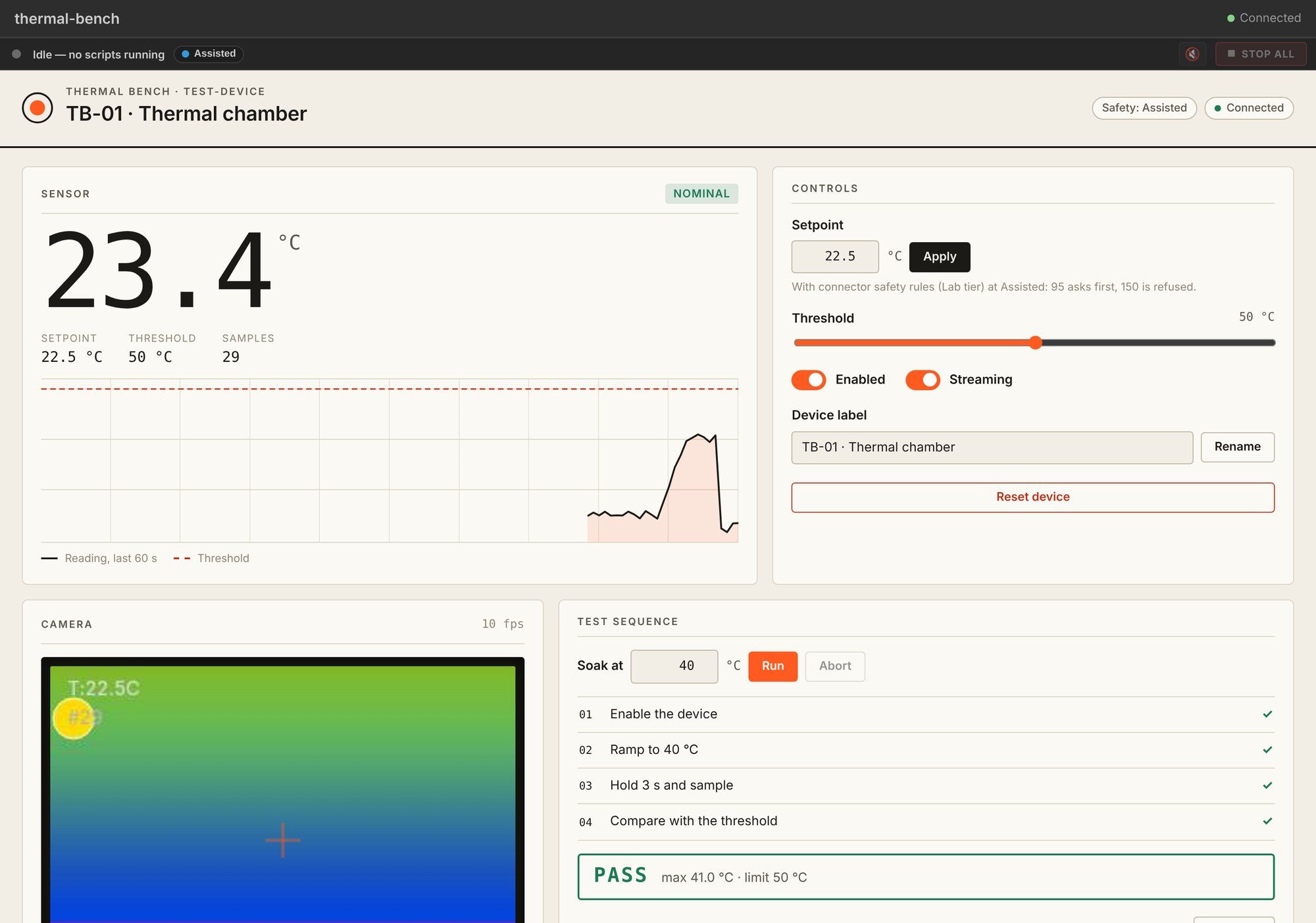
The example is a thermal test bench in one folder.
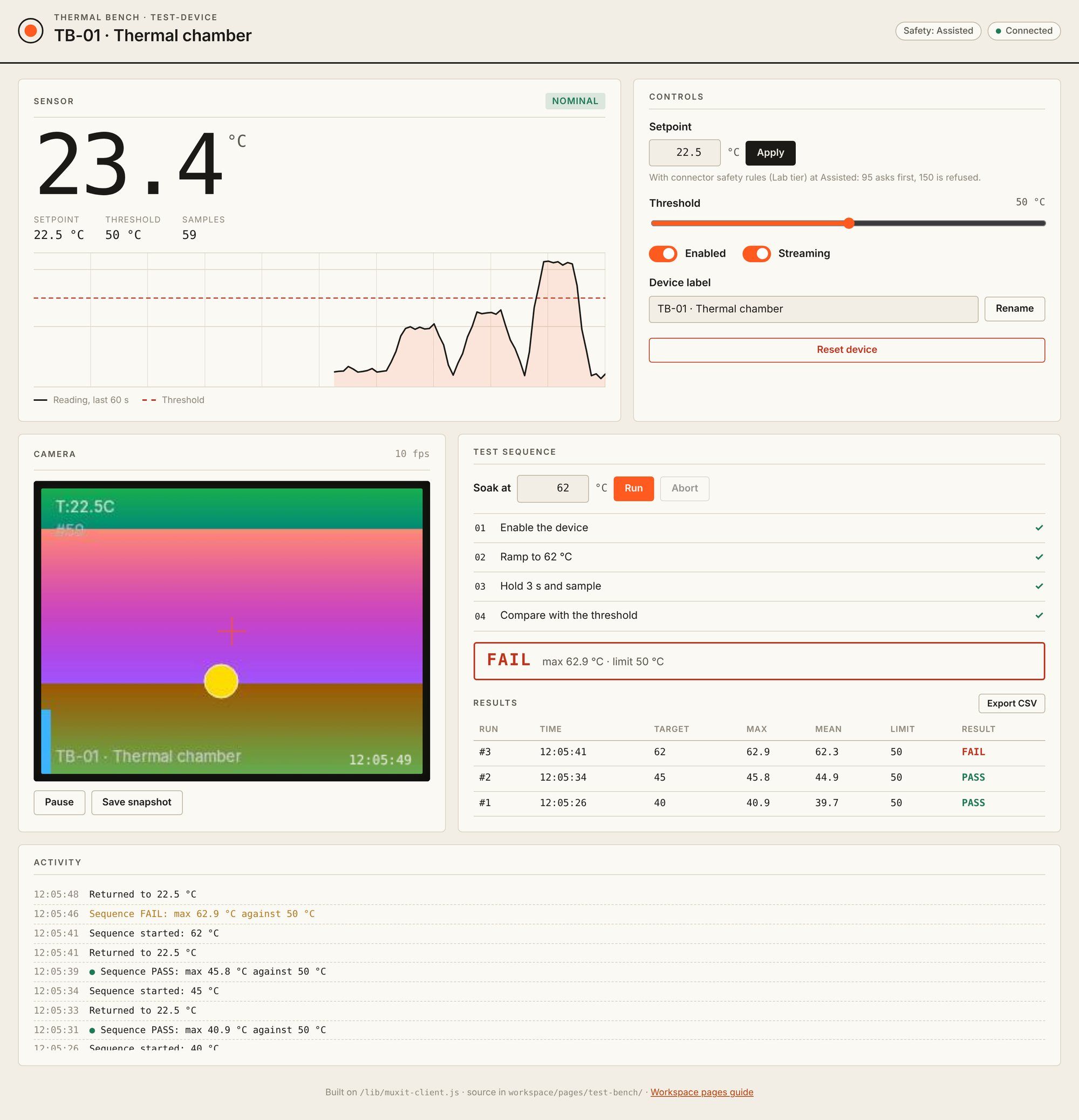
Every new workspace has it, in pages/test-bench/. It runs on the built-in test device, so it works before any hardware is connected.
- A live reading and a 60-second trend in plain SVG, from the device's data stream
- Setpoint, threshold and switches, with every refusal of the safety gate explained in words
- The camera stream on a canvas with an overlay, and a snapshot download
- A soak test: ramp, hold, measure, PASS or FAIL, a results table and a CSV export
- Its own dialogs for confirmations, the remote-access password and operator PINs
The code is written to be read. Each file does one thing: live.js shows the three ways values arrive, sequence.js a run that can be aborted and always ends back at a safe setpoint, dialogs.js the questions Muxit asks a person.
Copy the folder, change the connector name, and keep what you need.
The same folder runs in four places.
| Where | How |
|---|---|
| Full screen | http://<server>:8765/pages/<folder>/, or a browser in kiosk mode |
| In a dashboard | A Canvas widget in Iframe mode; pick the page from the list |
| As a locked operator station | Put it under pages/operator/ and choose it as the station's start screen. The station keeps Stop All, sign-in and confirmations around it, and the server still refuses everything an operator may not do. |
| From another computer or a tablet | Remote access over your LAN or VPN. A browser that has not signed in gets a password form first. |
What a page doesn't do.
- Load anything from the internet. A page loads only from the Muxit server, so a CDN script won't run and a page can't send your readings to another host. Copy the libraries you use into the page's folder.
- Get past the safety gate or the operator permissions. Every call is checked the same way a dashboard button is.
- Keep running when the browser closes. A test that has to finish on its own belongs in a script, which the page can start with muxit.scripts.start().
- Serve the public internet. Muxit is reached on your computer, your LAN or your VPN.
- Stop being code. A page runs with the rights of whoever opens it: put only pages you wrote or trust in pages/, as with scripts.
Questions
Which plan do I need?
Any. Pages, the client library and the examples are in every plan, Free included. Locking a station to a page is part of operator mode (Pro). Opening pages from another computer needs remote access (Maker and up).
Can I use React, Vue or Svelte?
Yes, as built files: run your bundler and put its output in the page's folder. Muxit serves the files as they are. A library that compiles templates in the browser needs its CSP build, because pages may not use eval().
Can an AI assistant write a page?
Yes. Give your assistant the Writing Workspace Pages reference along with your connector names. Muxit's built-in chat writes connectors and scripts, not pages.
Do the safety limits apply to a page?
Yes. A page's calls go through the same safety gate as a script or a dashboard. At the Observe level writes are simulated and the page is told so. Per-connector limits, confirmations and rate caps are Lab.
What happens when Muxit restarts?
The page reconnects by itself. From another computer it asks for the password again, because a restart ends every remote session. Read your starting values again on the connect event, as the example does.
Where do the files live?
In your workspace, next to connectors and scripts: a folder you can put in git, copy to another station or share.
Open the example, then make it yours.
Install Muxit, open /pages/test-bench/ on the test device, and change it in any editor.